 MyTuitionClass
Sign-ups from parents
Parents can ask for a place in a class themselves. Nothing is booked until you approve it. Parents pay you directly, by bank transfer or DuitNow, and you confirm the payment: MyTuitionClass doesn't take card payments.
Choose how each class takes sign-ups
Tap the pencil on a class. Under Parents signing up, choose a Sign-up setting:
- Off: I add students myself.
- By invite link: only parents you send the class's link to. Tap Invite link on the class to copy it.
- On my public timetable (and by invite link): anyone with your timetable link can ask.
Then fill in About the class, the Level and the Subject. Parents use level and subject to find the right class.
Share your timetable
Once a class is on the public timetable, the Classes page shows two buttons:
- Centre timetable (admins): every teacher's public classes on one page, with who teaches each, places left and filters by level and subject. Put it on your website, Facebook page or WhatsApp status.
- My timetable (Timetable link for teachers): just your own classes.
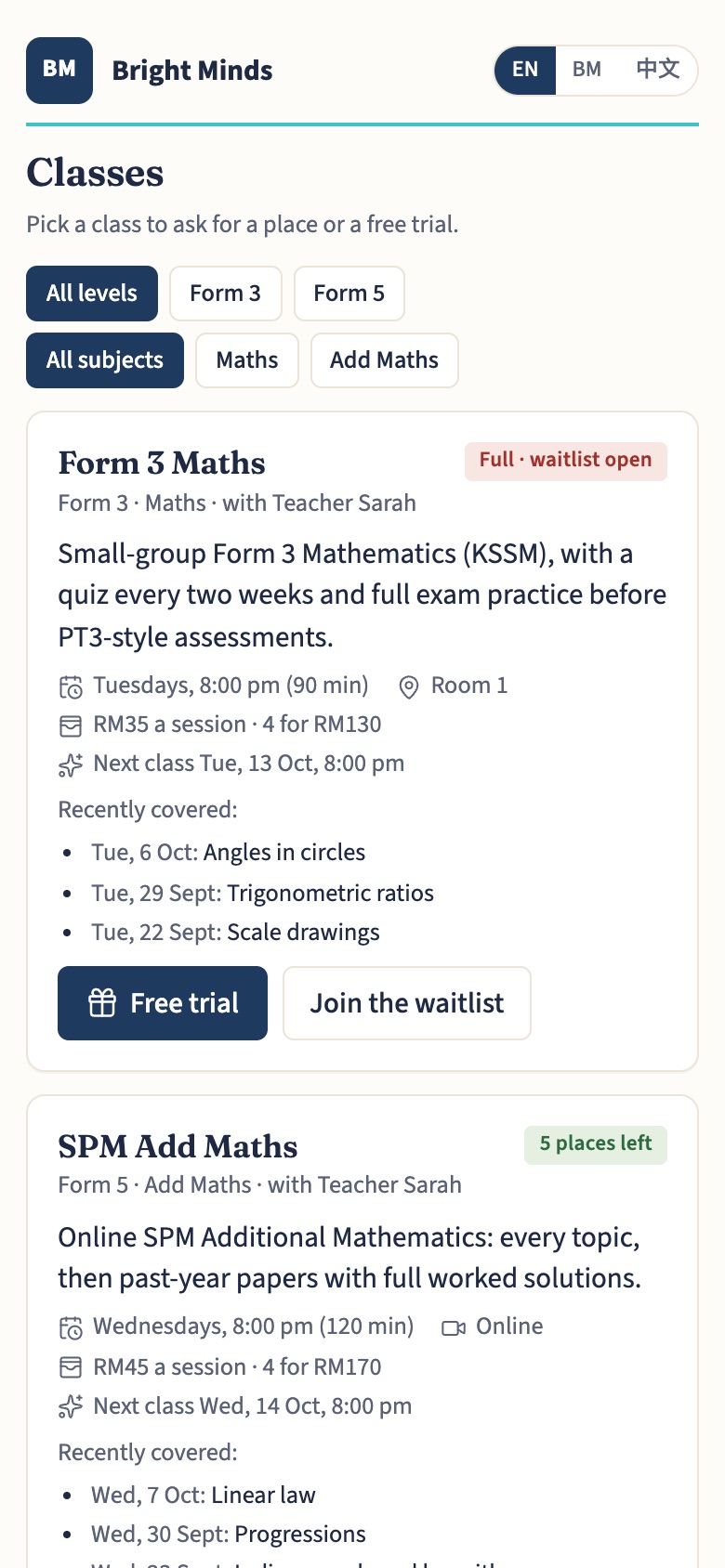
What parents can ask for
- A free trial, if you ticked Offer a free trial (one per child). It's one per child across your whole centre.
- One session at the class price.
- A pack, if you set Pack: sessions and Pack price (RM), such as 4 sessions for RM110.
What they pay goes into the child's prepaid fund, so a missed session stays as credit. If the class is full, they join the waitlist and are told their place in the line.
Approve, then confirm payment
New requests appear under Sign-ups at the top of the Classes page, and you get an alert.
- Tap Approve. A free trial goes straight into the next session, with a message for the parent ready in Messages. For a paid place, a message with a payment link is prepared in Messages for you to send, and the place is held for 3 days.
- The parent opens the link, sees your payment details, pays, and taps I've paid. The request then says they've paid.
- Check your bank, then tap Payment received. The child joins from the next session, the payment is recorded, and a welcome message is prepared.
Not paid within 3 days? The place is released. If it's still free when the money comes in, you can still tap Payment received. To turn a request down, tap ×: nothing is sent, and WhatsApp opens so you can tell the parent yourself.
The waitlist
When a place opens in a full class, you get an alert. Tap Offer a place on the first in line; it then works like Approve.
Enquiries
Every sign-up also appears on Enquiries and moves along by itself, to Trial or Enrolled. Add phone calls and walk-ins there with New enquiry, and set a Follow up on date to get a reminder that morning.